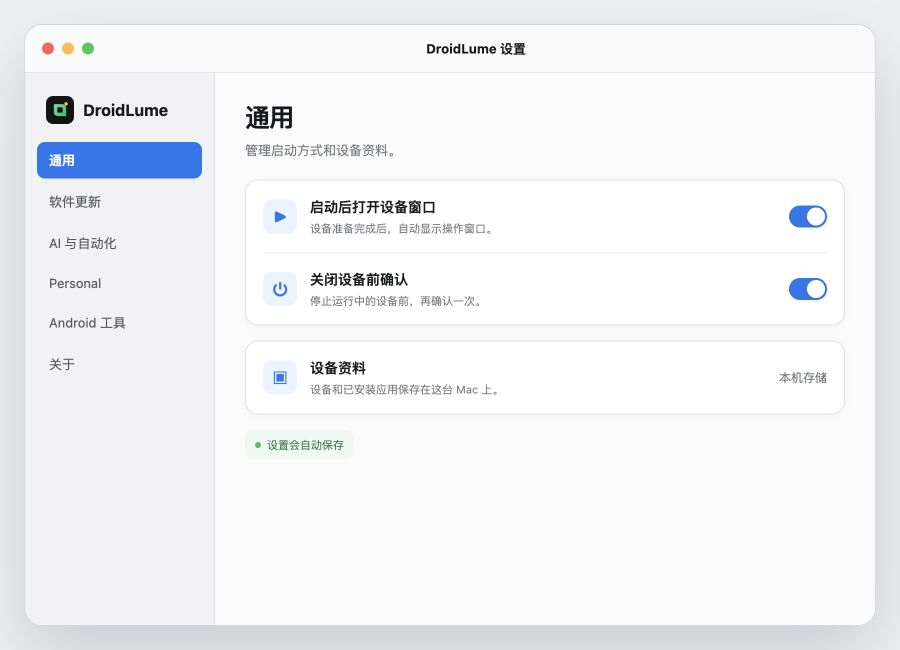
虚拟设备启动
首次启动需要准备运行环境,耗时取决于设备性能。若长时间停留在启动状态,请退出 DroidLume 后重新打开,再检查磁盘空间。
产品支持
虚拟设备、应用导入、权限与订阅的常见问题都整理在这里。你的虚拟机数据默认保存在这台 Mac 上。
首次启动需要准备运行环境,耗时取决于设备性能。若长时间停留在启动状态,请退出 DroidLume 后重新打开,再检查磁盘空间。
从 DroidLume 中选择你有权使用的 APK。导入文件会复制到应用的本地容器;已安装的访客应用遵循其各自的隐私政策。
键盘输入由当前焦点决定。相机或麦克风桥接只会在你主动开启功能并授予 macOS 权限后工作,可随时在系统设置中撤回权限。
付款由 Apple 通过 StoreKit 处理。你可以在应用内恢复购买,并在 Mac 的 App Store 账户设置中查看或取消订阅。
查看 Apple 订阅说明请附上 macOS 版本、DroidLume 版本和问题发生步骤;请勿发送密码或支付卡信息。
虚拟机镜像、AVD 配置、导入的 APK、运行设置和本地日志保存在 DroidLume 的 macOS 应用容器中,除非你主动导出。访客 Android 应用连接互联网时,数据处理由该应用及其服务商决定。
Product support
Find help for virtual devices, app imports, permissions, and subscriptions. Your virtual-machine data stays on this Mac by default.
The first launch prepares the runtime and may take longer depending on your Mac. If startup remains pending, quit and reopen DroidLume, then check available disk space.
Select an APK you have the right to use. DroidLume copies it into the app’s local container. Installed guest apps remain subject to their own privacy policies.
Keyboard input follows the focused field. Camera or microphone bridging works only after you turn it on and grant macOS permission; you can revoke access in System Settings.
Apple processes payments through StoreKit. Restore purchases in the app, and view or cancel a subscription from your App Store account settings on Mac.
Apple subscription helpInclude your macOS version, DroidLume version, and steps to reproduce. Never email passwords or payment-card details.
VM images, AVD configuration, imported APKs, runtime settings, and local logs live in DroidLume’s macOS app container unless you export them. When a guest Android app connects to the internet, its developer and service providers determine that app’s data handling.